If you are clicking on the SSO button (this could be called 365 or Entra) within your Uniflow Online portal, and it keeps loading the original login page then it is likely the certificate has expired.
You will need to have admin access to your Entra (Azure) Portal to do this
- Go to the Entra Admin Centre then Enterprise Applications
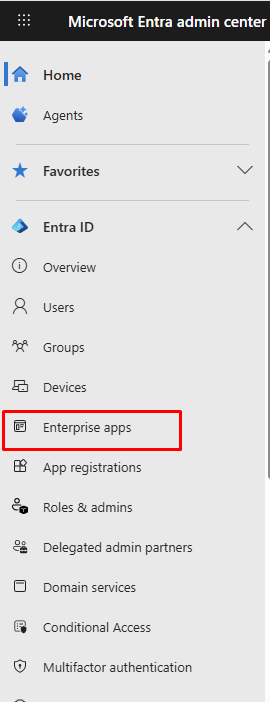
- Search for the Uniflow Online app, the certificate expiry status will likely show as expired. Open this app

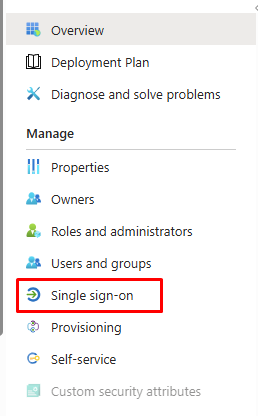
- Go to Manage> Single sign-on
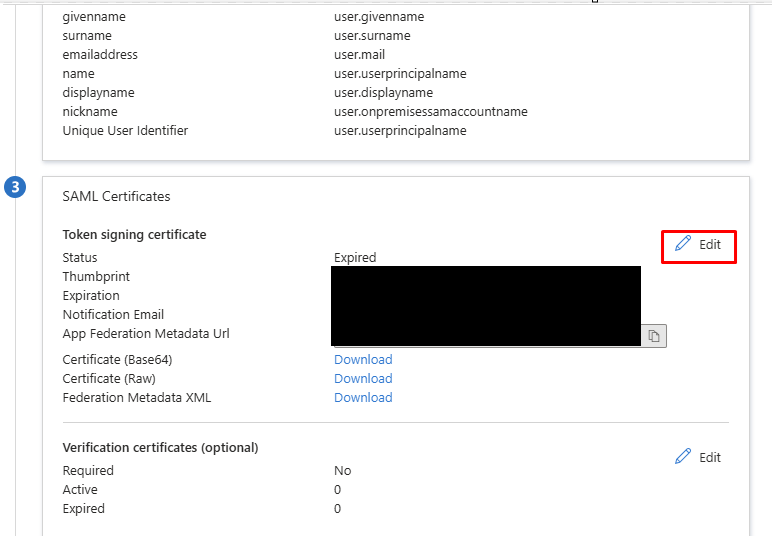
- Under SAML Certificates, click edit
- Click New Certificate
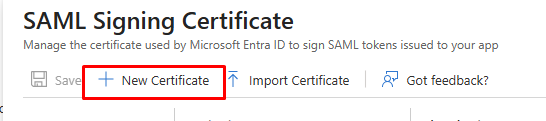
- Choose the date you want the certificate to expire then click save.

- The new certificate will then need to be set to active, click the 3 dots to do this.

- You will receive a confirmation prompt, click yes.
- You can then go back to the Uniflow login page and test access.
Was this article helpful?
That’s Great!
Thank you for your feedback
Sorry! We couldn't be helpful
Thank you for your feedback
Feedback sent
We appreciate your effort and will try to fix the article