On your Canon MFD, please press the settings button (see pics below)
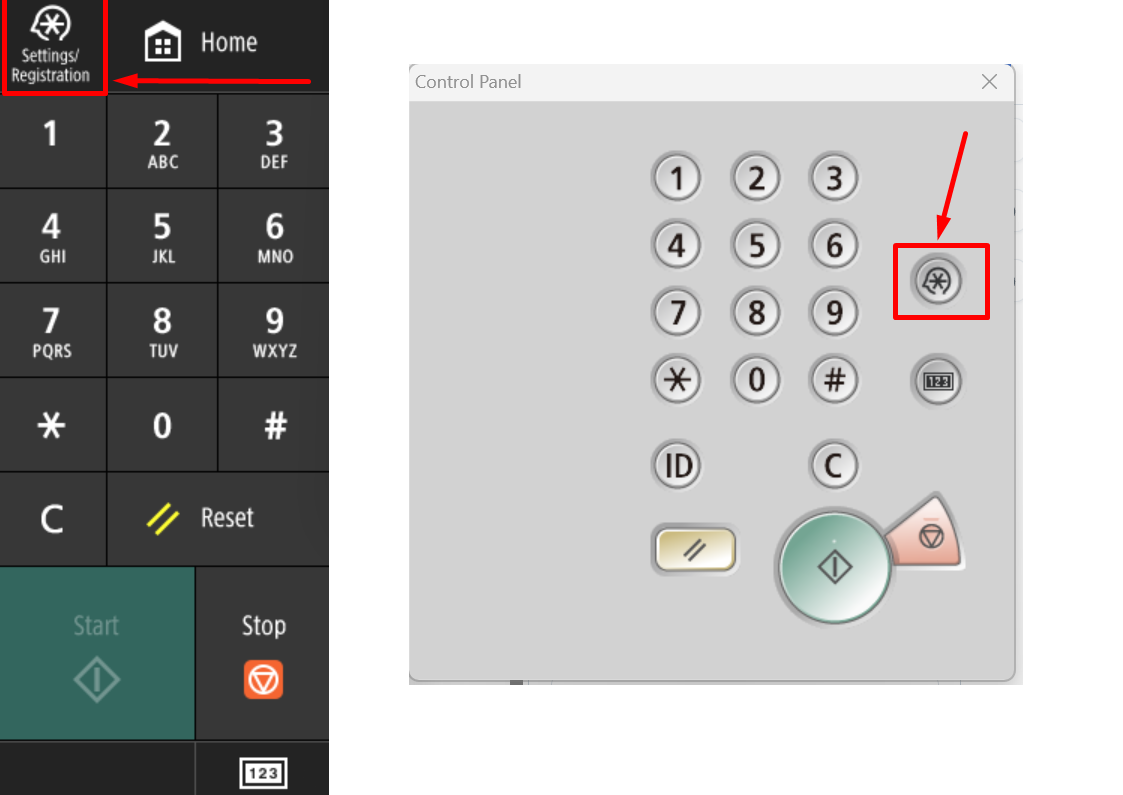
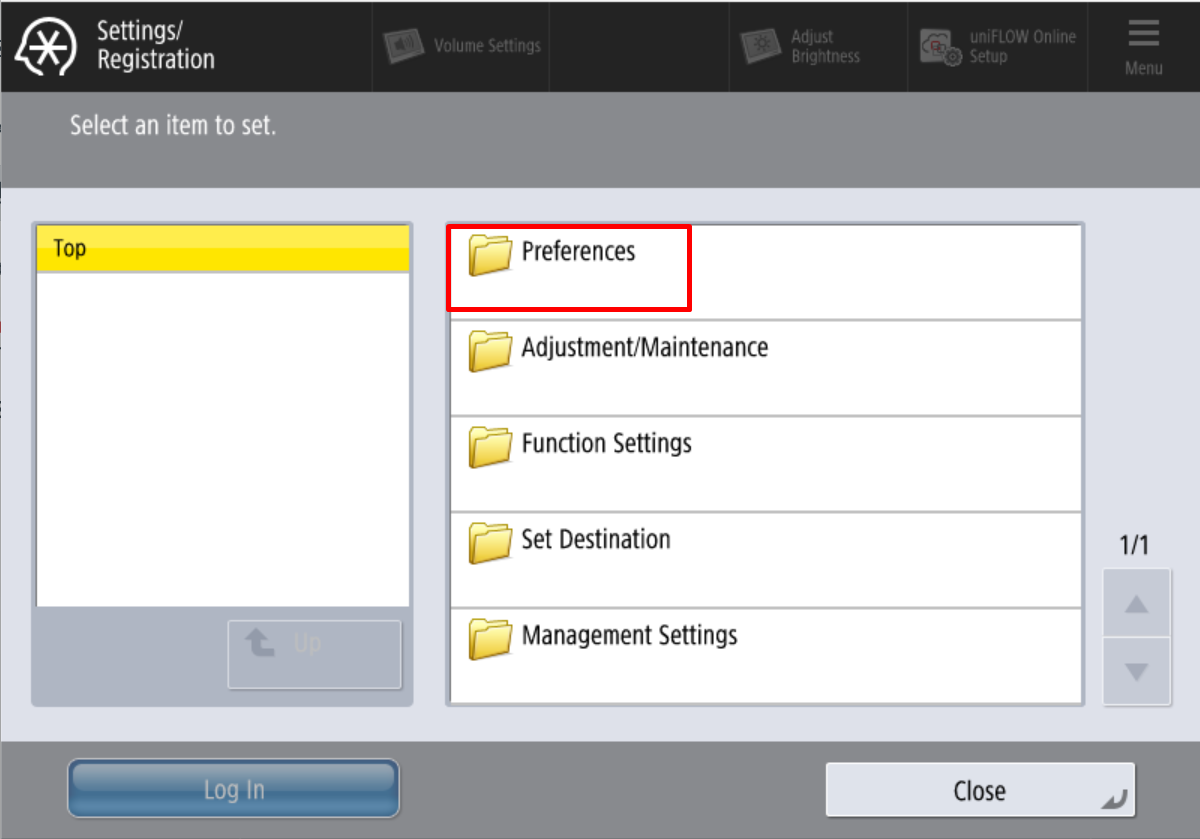
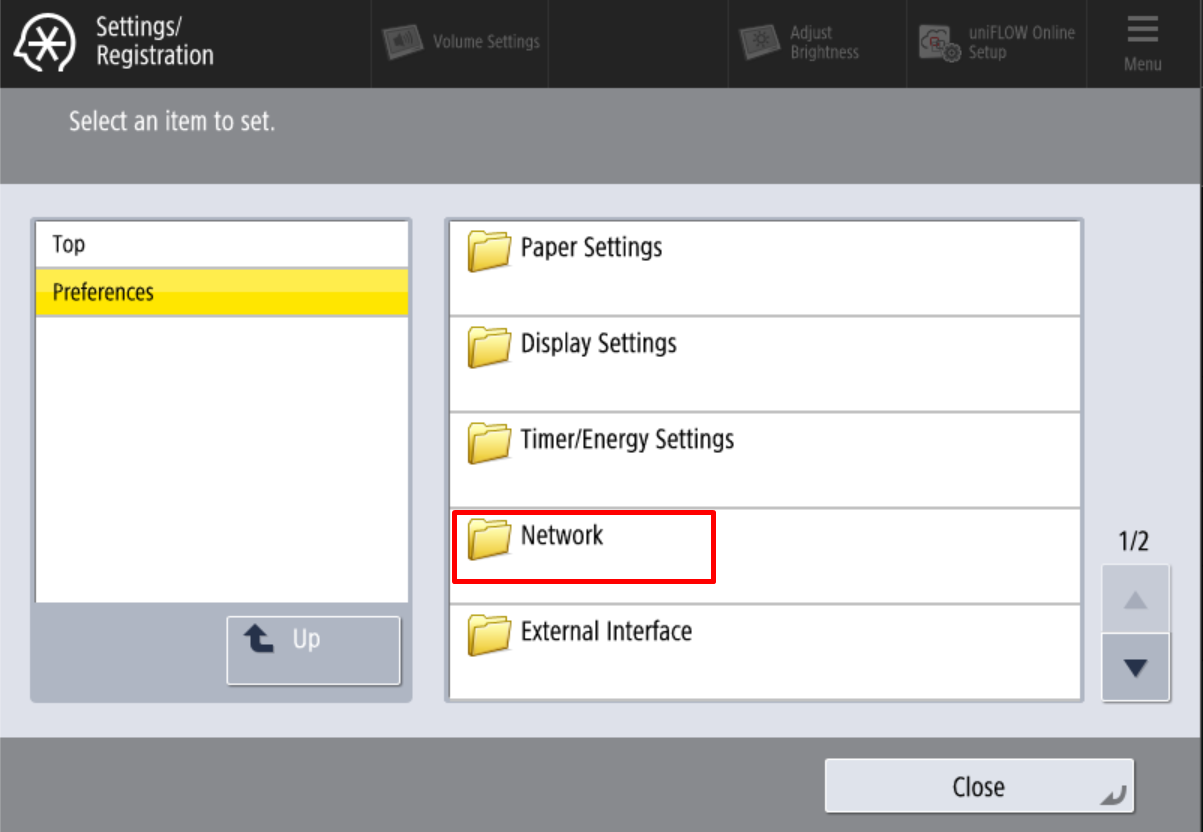
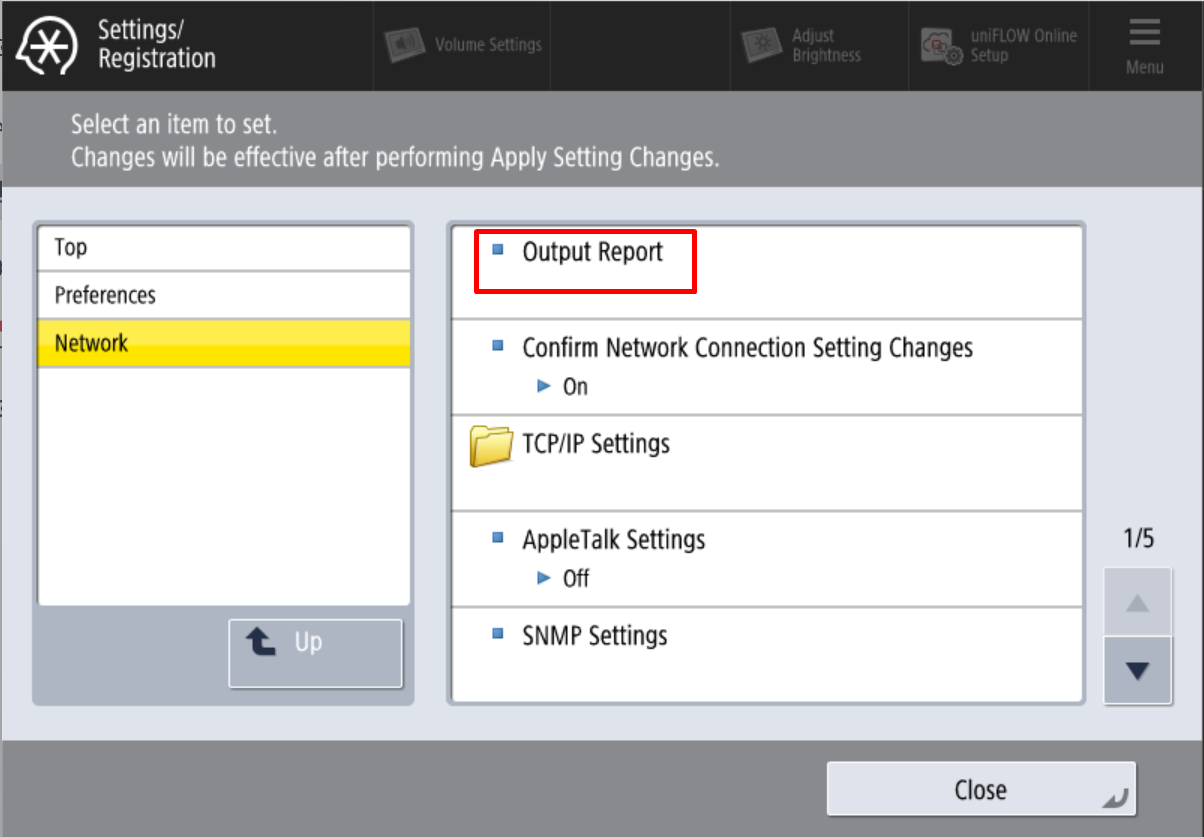
Click on Preferences > Network > Output Report > Then press yes to print the report
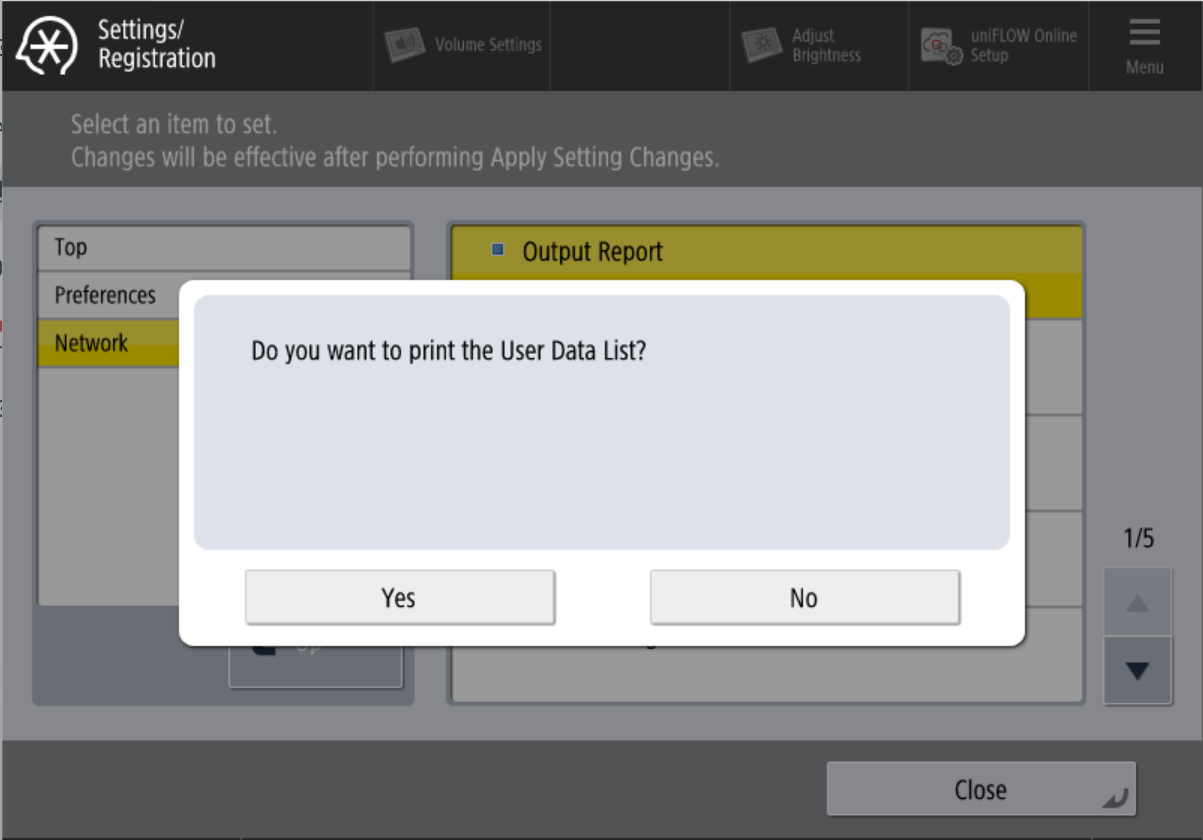
Once the report has printed, please find the section below
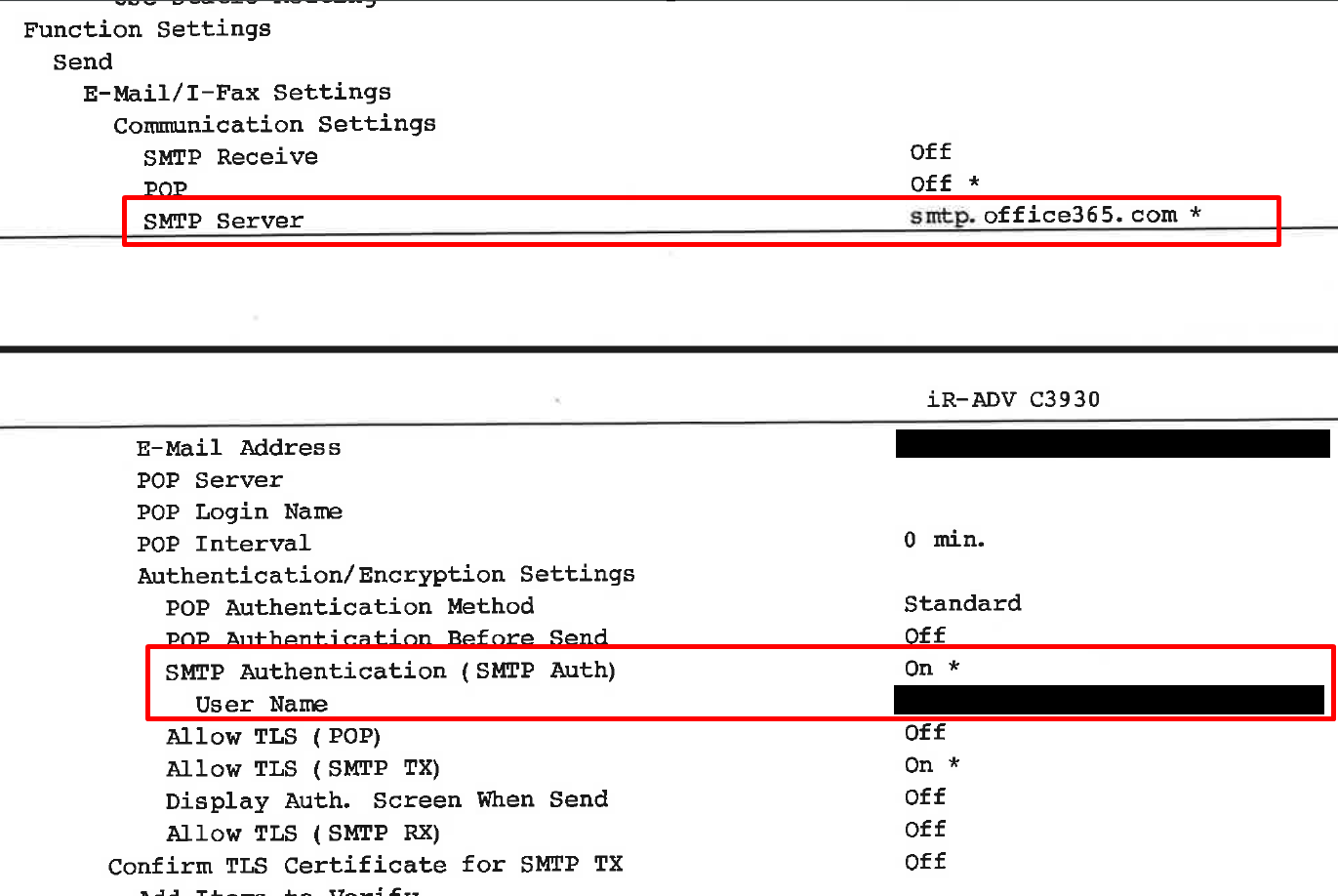
If the SMTP server is smtp.office365.com or outlook.office365.com and SMTP Authentication (SMTP Auth) is ON then you are likely affected. Please contact us for next steps
If you would like to send a screenshot then we would be happy to check for you. Please send to software@sossystems.co.uk
Was this article helpful?
That’s Great!
Thank you for your feedback
Sorry! We couldn't be helpful
Thank you for your feedback
Feedback sent
We appreciate your effort and will try to fix the article